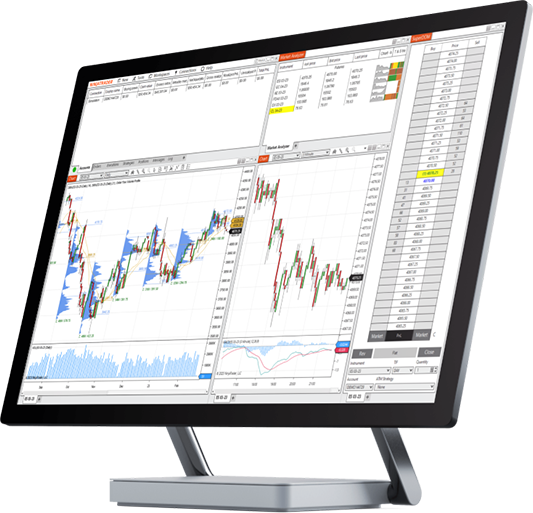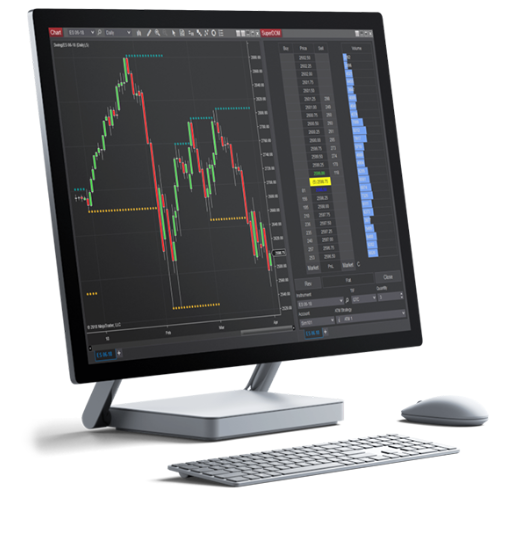
At the center of technical analysis is the ability to plot market data on a price chart and apply indicators to create visualizations of futures markets trading activity.
Futures market charts are foundational trading tools that allow you to thoroughly examine the market environment—both in real time and using historical price data—to make more informed trading decisions.
The NinjaTrader Desktop has over 10 chart styles and more than 100 indicators, including commodity trading charts for futures, gold futures trading charts, and more. Traders can also tap into thousands of third-party add-on tools to customize their technical analysis.

Every futures trader has their own unique chart-building process based on their trading style and approach to market analysis. When creating a futures trading tick chart, the following initial properties must be set and defined:
Once you've created a chart in the NinjaTrader platform, it's easy to change the Instrument, Style, and Timeframe (type) on the fly with just a few clicks.

One of the most common types of charts is a Line on Close chart, which plots a single line, bar by bar, connecting the close of each bar.
Line on Close charts provide a simplified visualization of pure price movement to help traders better identify trends by reducing the number of data points displayed. This simplification makes the Line on Close chart a great starting point for new traders.
Line on Close charts are frequently used to compare historical price data for multiple instruments in the same chart.

OHLC bar charts display four key price points on the bar—open, high, low, and close—allowing you to visualize and analyze real-time and historical price data. The highest and lowest prices seen during the bar time frame determine the size of the bar high to low.

Each OHLC bar includes a time and date stamp along the bottom X-axis of the chart which is the closing time and date of the bar.
OHLC bar charts can convey the magnitude of the trading range (or volatility) for both a single bar and a series of bars throughout the chart.

Candlestick charts are a popular visual variation of standard OHLC bar charts. The main difference is that the body (thick part) of the candlestick is built using only the open and close bar prices, and the high and low of the bar are presented as thin lines above and below the candle body called wicks.
The color of the candle body reflects the relationship between the open and close:

Candlestick bar colors can be customized, and some traders choose to use white for bullish candles and black for bearish candles.
The lines above and below the candle body are called the upper and lower wicks, and they extend to the high and low of the bar.

Build your futures trading foundation using technical analysis to identify trends, support and resistance, and key chart patterns.

Join veteran futures trader Anthony Crudele, Senior Economist Tracy Shuchart, and Senior Market Strategist Jim Cagnina as they bridge macro insights with technical precision to uncover trading opportunities in real time.
Get expert analysis, live trade execution, and actionable insights—all in one place. Find your futures trading edge by tuning in to NinjaTrader Live.
Join us weekdays: 8:00 am – 12:00 pm ET | 2:30 pm – 4:00 pm ET (no livestream Friday afternoons) Sundays: 5:45 pm - 6:45 pm ET

Understanding chart styles and how price bars represent market action is essential to effective technical analysis.
Get started on your trading journey with NinjaTrader’s free futures charts and simulated trading powered by real-time futures market data. Practice chart building, explore our many technical analysis tools, and trade in a risk-free simulation environment until you’re ready for the live markets.